The World of Mervis - Knowledge Base
    Translations of this page:
    • cs 
    • en 

  1. You are here
  2. Home
  3. Welcome to the Mervis Knowledge Base
  4. Mervis SCADA
  5. Manual
  6. Dashboard Overview

Menu
  • Ancillary services
  • Best Practice
  • Help
  • Licensing & Pricing
  • Mervis DB
  • Mervis IDE/RT
  • Proxy & CloudAccess
  • Mervis SCADA
    • Updates & Fixes
    • Portal
    • Mervis IoT
    • scada.mervis.info
    • Mobile Application
    • Mervis SCADA Project Generator
    • MQTT
    • Manual
      • Introduction
      • Table View
      • Datapoint info
      • Schema
      • Graphs
      • Exporting Data & Graphs
      • Weather data
      • Alarms
      • Alarm Notifications
      • Alarm SMS
      • System Menu
      • Favourite datapoints
      • Project Management
      • Simple User Management
      • Dashboard Overview
      • Languages
    • Cloud Infrastructure
    • Communication Protocols
    • API
    • Minimum Requirements
    • IoT API
    • Installation
    • Licensing
  • RcWare
  • Research
  • Mervis Tutorials

Dashboard Overview

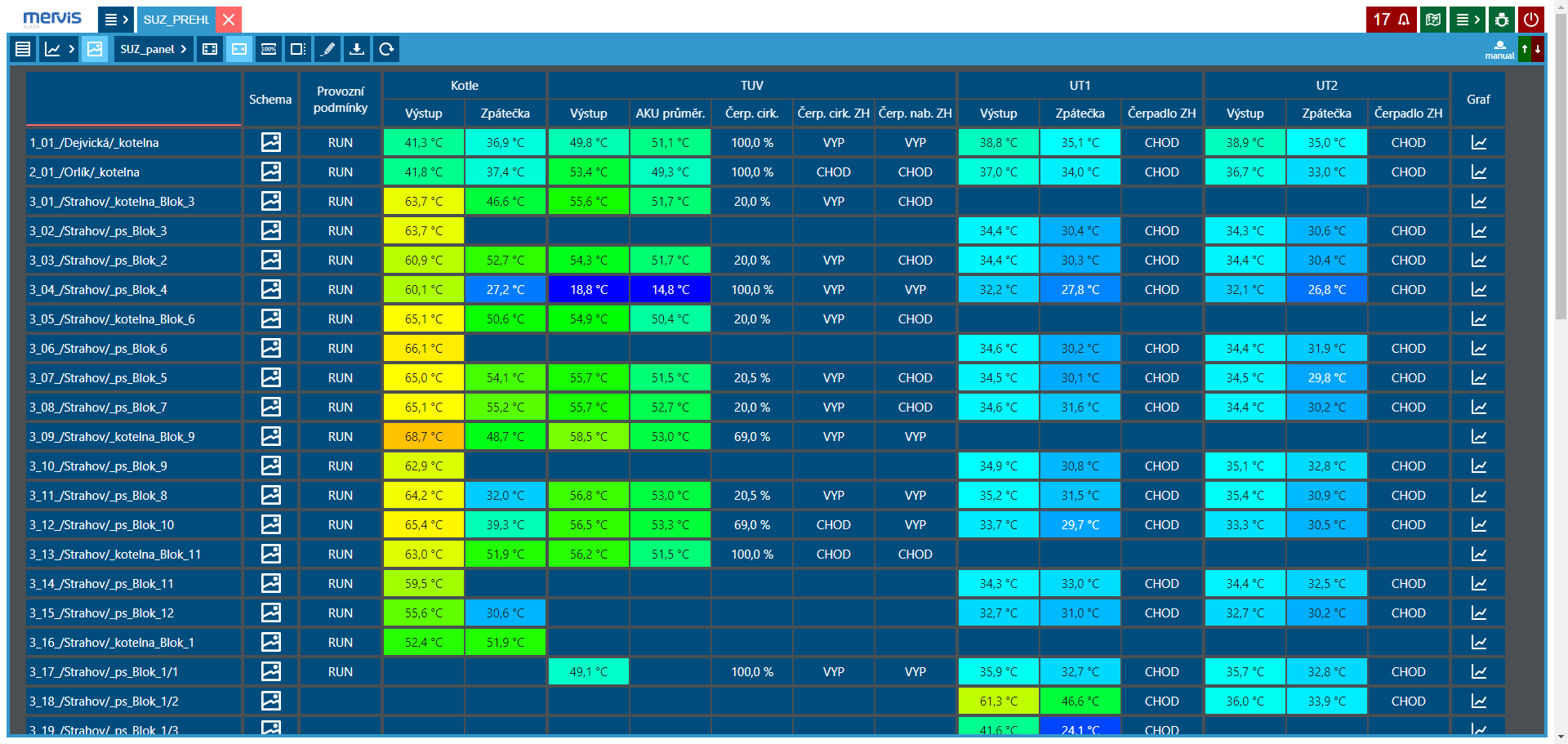
Data points can be displayed in the form of a dynamic row overview. Value displays can be colored according to a specified color scale.
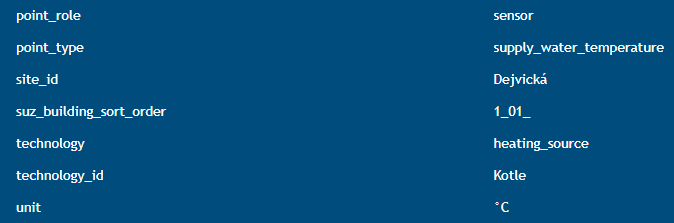
Tags are used for the creation of the dashboard overview, which need to be assigned to the desired variables.
  • © Energocentrum Plus, s.r.o. 2017 - 2026
Log In