Watt Price Driver (.Net)
The Watt Price Driver (.Net) provides access to daily electricity market results published at http://www.ote-cr.cz. Data is retrieved from the official SOAP API available at: https://www.ote-cr.cz/services/PublicDataService.
Note: Starting with Mervis version 2.7.22, the Watt Price Driver is included in the Mervis installation package and no separate installation is required. This applies to all later versions as well.
Note: OTE introduced a new service endpoint in April 2026 (https://www.ote-cr.cz/pw-data/services/PublicDataService). As of independent testing on 31 August 2026, both the legacy and new endpoints return identical, working responses. OTE has not announced a firm cutover date, but migrating the Price API URI to the new endpoint when convenient is still recommended for long-term stability.
Driver Setup
- Add a PLC with a running .Net Server for Mervis RT to the project, see Installation / update guide for .Net Server for Mervis RT
- Enable .Net drivers in the PLC configuration:
PLC\Configuration ⇒ Common\Enable .NET Drivers: true

- Add a Channel to the PLC, Protocol: Watt Price (.Net)

- Add a Library Device to the Channel:
CzechRepublic\OTE\Watt Price 15-Minute Period (Array)

- The following parameters are preconfigured on the added device:

| Parameter | Description |
|---|---|
| Price API Type | The protocol used to query the price source. Preconfigured as SOAP and should not need to be changed. |
| Price API URI | The service endpoint URL the driver queries for price data. Defaults to OTE's public SOAP endpoint. |
| Price API Time Zone | The time zone used when interpreting and aligning price data. Defaults to Europe/Prague. |
| Date Shift Days | Which day's prices to retrieve, relative to today. 0 returns today's prices. -1 returns yesterday's prices, -2 the day before, and so on. Positive values shift forward (e.g. 1 returns tomorrow's prices, once published). |
PLC Variables
Data point mapping is done via Variable Identifier:
| Variable Identifier | Description |
|---|---|
| PriceInQH_0xx | Price for the specific quarter-hour (e.g. PriceInQH_001). |
| PriceInQH | Array of prices for the quarter-hours of the day. |
| QuarterHoursInDay | Number of quarter-hours in the day. |
| QuarterHoursAvailable | Number of valid quarter-hour items available, counted from the start of the day. |
| PriceMinimum | Minimum price. |
| PriceMaximum | Maximum price. |
| PriceAverage | Average price. |
| PriceCurrent | Current price. |
Variables can be created and linked manually, or by using the Set Autogen function.

Checking Data Completeness
In some cases the driver can only obtain data for part of the day, for example for the first half. In that case QuarterHoursAvailable contains the number of valid items counted from the start of the day.
- If
QuarterHoursAvailableis equal toQuarterHoursInDay, the data for the day is complete. - If
QuarterHoursAvailableis lower thanQuarterHoursInDay, the data is partial. Only the firstQuarterHoursAvailableitems ofPriceInQHare valid.
Tip: CheckQuarterHoursAvailablein your PLC program before using prices for control decisions, so that incomplete data is not treated as a full day.
About Quarter-Hour Pricing
OTE publishes day-ahead prices at hourly resolution. The Watt Price Driver retrieves this hourly data and derives the four quarter-hour (PriceInQH) values for each hour by dividing the hourly price evenly across its four 15-minute periods. This is expected, correct behavior. The driver does not query OTE for a separate, genuinely 15-minute-resolution dataset, since OTE's day-ahead market does not publish prices at that granularity in the first place.
ENTSO-E Transparency Platform: API Access Reference
The Watt Price Driver uses OTE as its data source. For teams that also want to query electricity market data directly from ENTSO-E's Transparency Platform (for example, for markets outside the Czech Republic, or for independent verification of OTE data), the platform offers a public REST API. Access requires a free registered account and an approved security token.
Setting Up API Access
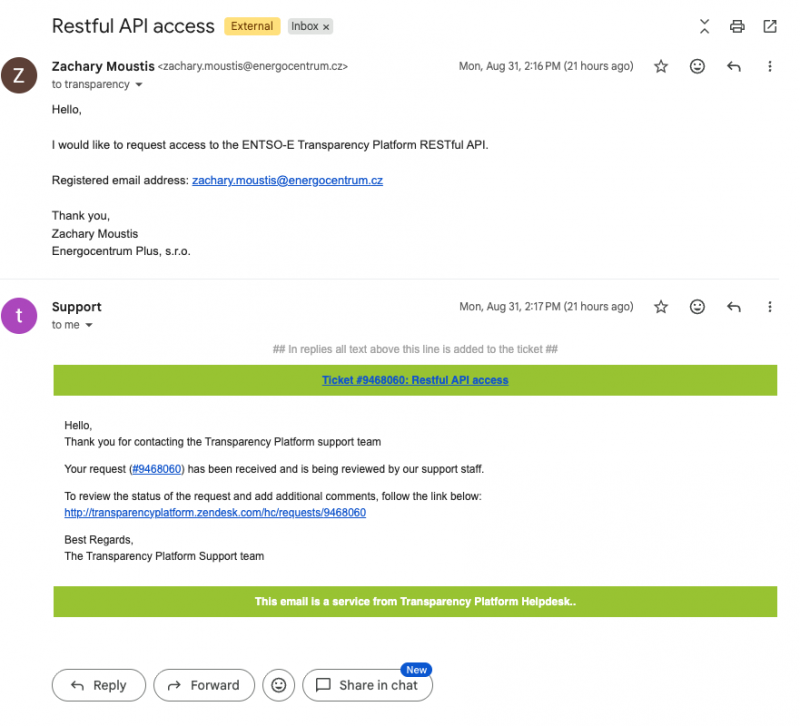
- Register for a free account on the Transparency Platform, then email
transparency@entsoe.euwith “Restful API access” in the subject line, including your registered email in the body.
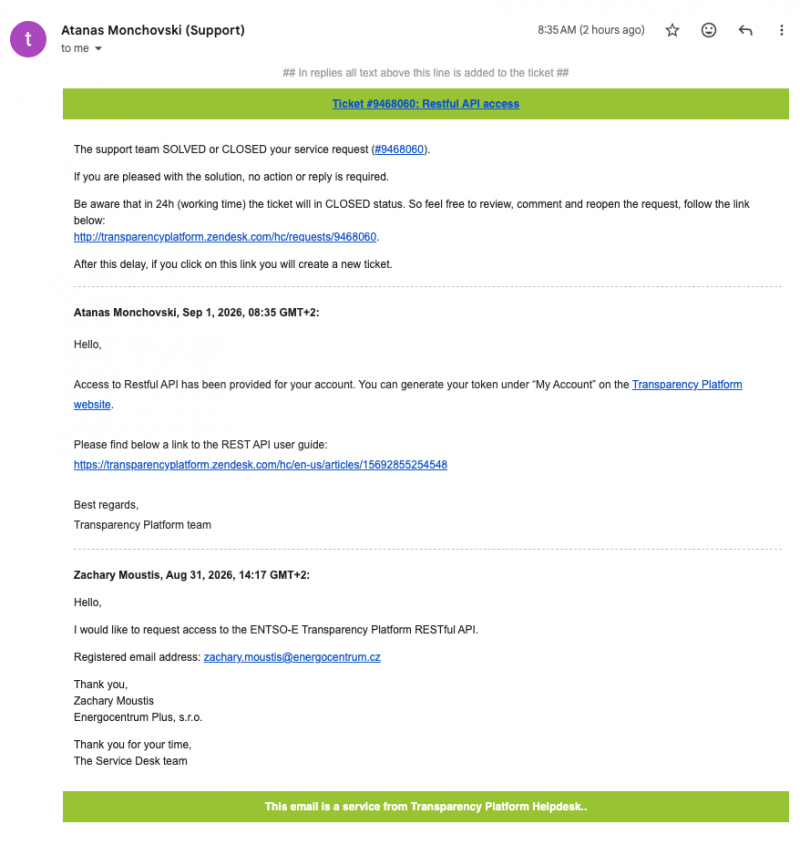
- ENTSO-E support confirms access has been granted, typically within a few business days, along with a link to the REST API user guide.
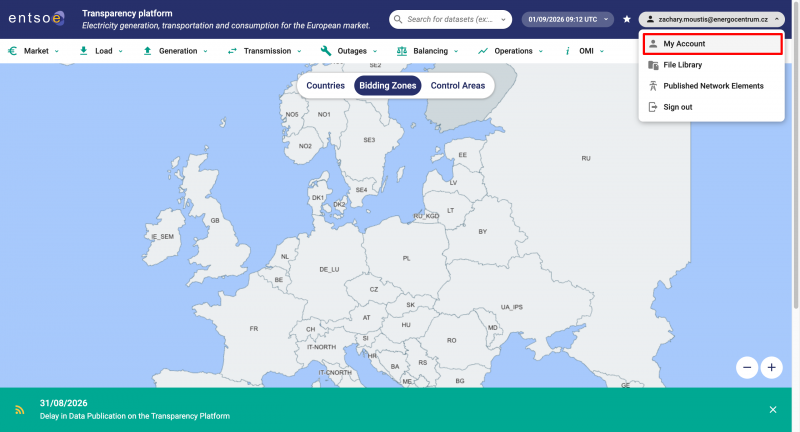
- Once access is granted, log in to the Transparency Platform and open My Account from the account menu in the top right.
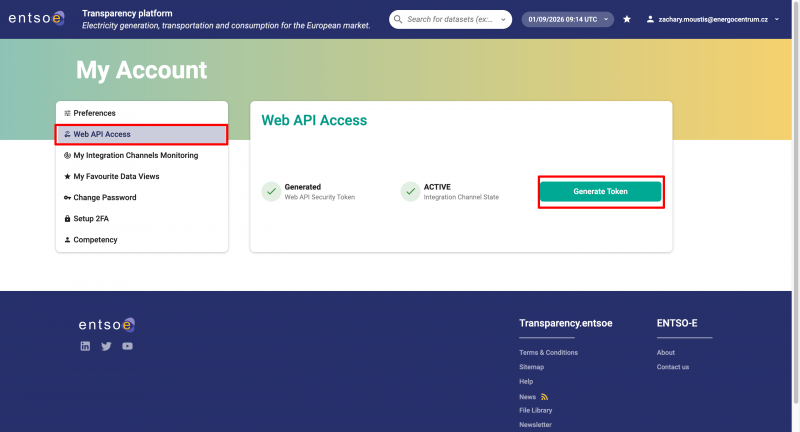
- Under Web API Access, click Generate Token to create your security token.
Format Reference
For teams comparing OTE's SOAP response against ENTSO-E's REST response (for example, when writing custom integrations), the two formats differ as follows:
| Feature | ENTSO-E REST (A44) | OTE SOAP |
|---|---|---|
| Protocol | REST GET | SOAP POST |
| Price field | <price.amount> inside <Point> | <PriceCZ> |
| Time field | <timeInterval><start> + <position> (1–24) | <Date> + <Hour> |
| Resolution | PT60M (hourly) only | Hourly |
| Error format | Acknowledgement_MarketDocument XML | SOAP Fault |
| Auth | securityToken query parameter (requires registration + approval) | None |
Both sources publish day-ahead prices at hourly resolution only, consistent with how the Watt Price Driver derives quarter-hour values from hourly data (see “About Quarter-Hour Pricing” above).