High-Speed Counting: Hardware vs. Software
Standard inputs on a controller check for a signal once every “cycle” (like taking a photo every second). If you are trying to count something fast—like a spinning fan blade or water flowing through a meter—the signal might be too quick for the controller to see. It might happen *between* the photos.
For these tasks, you need Hardware Counting.
Important Note: Hardware counting is not a universal software feature. It requires supported edge hardware with dedicated high-speed inputs. Capabilities and filtering options vary depending on your setup, but common supported devices include Patron Unipi units, specific Wago counter input terminals, and specialized Modbus modules.
1. How It Works
Instead of the main computer trying to “see” every pulse, a specialized chip on the supported controller does the counting for you. It never sleeps and never blinks. It counts every single electrical pulse, no matter how fast, and just sends the final total to the main computer.
2. Setup Tips
- The Total Count: The number is stored in a variable. Remember that numbers can only get so big! When the counter hits its limit, it will restart at zero. Your program needs to be ready for this “rollover.”
- Resetting (CNT_set): You will often want to reset the count to zero (for example, at the start of a new work shift). You can do this by sending a “0” to the CNT_set variable.
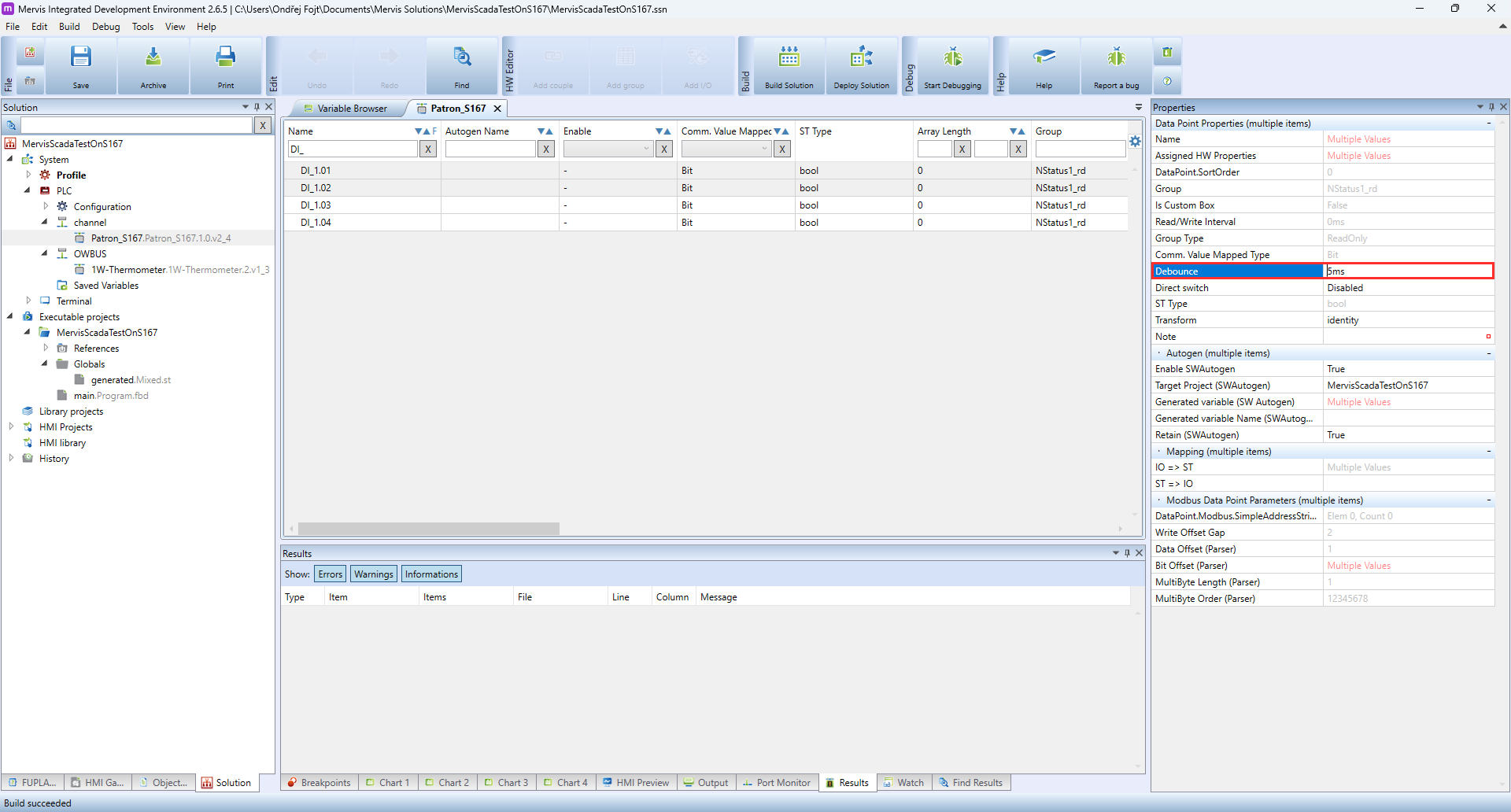
3. A Critical Setting: Debounce (Unipi Units)
“Debounce” is a filter designed to ignore “jitters” from messy mechanical switches. While filtering capabilities vary by hardware manufacturer, you will prominently see this property when working with Unipi units.
- The Problem: If you are counting high-speed pulses, the Debounce filter might think your fast signals are just “jitters” and ignore them.
- The Fix: When using a high-speed counter on a supported Unipi device, you must turn off or lower the Debounce setting (e.g., set it to 0ms or 5ms) in the Mervis IDE so the controller knows these fast signals are real data!