Advanced PWM Configuration for Thermal Control
Pulse-Width Modulation (PWM) is a fancy term for a simple concept: turning a switch ON and OFF really fast. By doing this, we can control “analog” things—like dimming an LED light, controlling the speed of a fan, or regulating the heat of an electric heater—using a digital switch.
1. The "Group" Rule
The Rule: You can choose *how long* each socket stays ON (brightness/heat), but they all must share the same *speed* (frequency).
What this means for you:
- Do not plug a high-speed device (like a Fan) into the same Group as a low-speed device (like a Heater).
- If you change the speed for the Fan, you might accidentally break the settings for the Heater.
- Always check your manual to see which outputs belong to which Group.
2. Setting the Parameters
You cannot set the frequency directly in your code. Instead, you configure the PWM Cycle and PWM Prescale in the Properties panel of the controller.
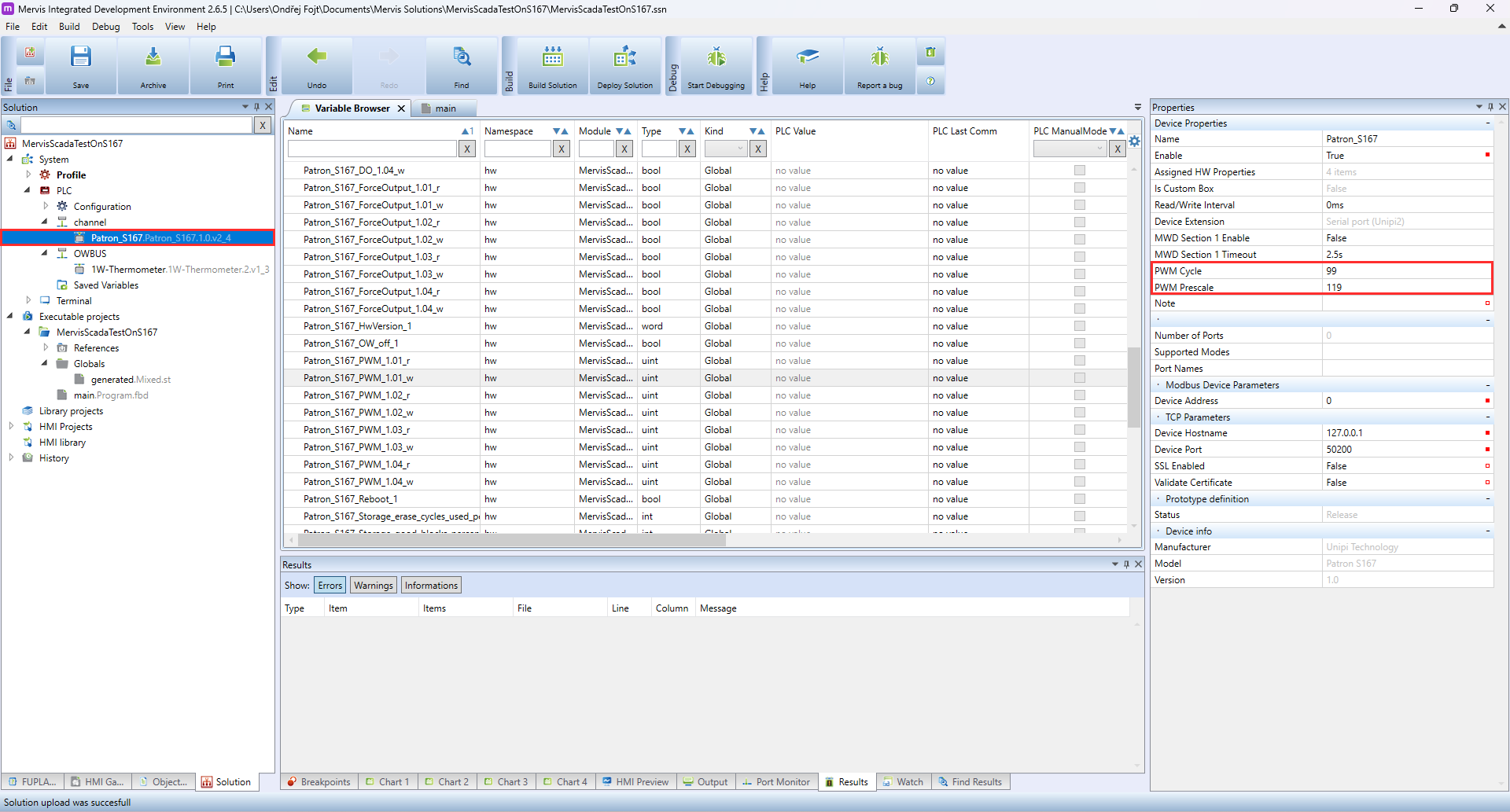
These settings determine the base frequency for the entire group of outputs.
3. Preventing "Glitches" at Startup
When your controller first turns on, you don't want your heaters or fans to pulse randomly while the system wakes up. Follow this “Safe Start” order in your program:
- Step 1 (Safety First): Force the output to OFF initially.
- Step 2 (Set the Rules): Tell the system what speed and power level you want.
- Step 3 (Go): Only *after* the rules are set, switch the “PWM Enable” to TRUE.