FUPLA (Function Block Diagram) Language
FUPLA (Function Block Diagram - FBD) is a graphical programming language specifically designed for controller programming in the Mervis IDE. It is based on predefined blocks of code, where each block has a specific function, inputs, and outputs.
It is highly suitable for continuous processes, such as HVAC regulation and basic logic interlocking. Because the control logic is created simply by connecting blocks and variables, FBD is an excellent choice for users without deeper programming knowledge.
In a single project, you can freely combine FUPLA with Structured Text (ST) depending on which language best suits each specific task.
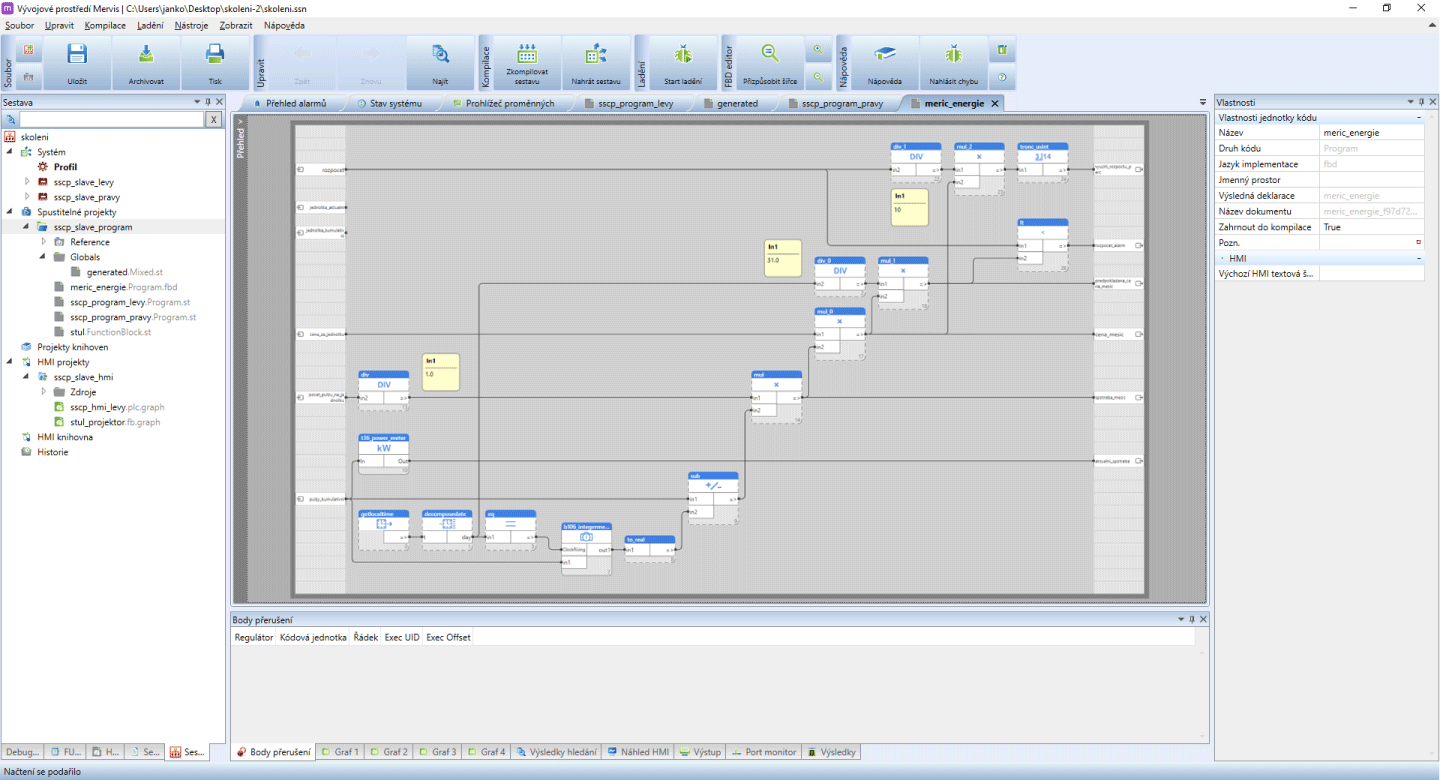
Editor Structure and Workspace
The FUPLA editor follows a logical “Signal Flow” structure from left to right:
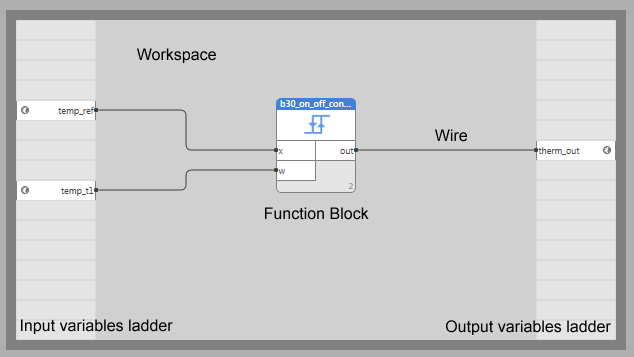
- The Left Ladder (Inputs): This is where you place global variables or physical inputs that the program reads from.
- The Work Area (Canvas): The central space where function blocks are placed and interconnected. You can increase or decrease this area using the grip points in the corners.
- The Right Ladder (Outputs): This area holds the variables to which you want to write results.
Programming Workflow
To build an executable program, follow these standard proceedings:
- Variable Placement: Right-click a field in the left ladder to insert a variable to read.
- Adding Blocks: Right-click in the working area and select “Add library box”. Mervis IDE features a large library of default function blocks covering most basic PLC operations, including mathematical functions, control loops, counters, and time schedulers.
- Wiring: Link output ports of variables in the ladder to input ports of blocks by clicking and dragging a “wire”. Similarly, connect block outputs to the next block or to the right ladder for final output.
- Configuration: Click on any function block to adjust its properties in the property grid, such as toggling pin visibility or setting fixed default values.